









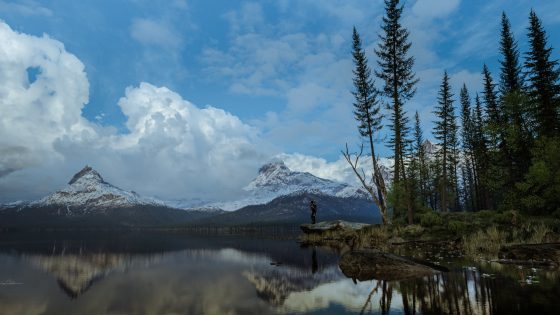


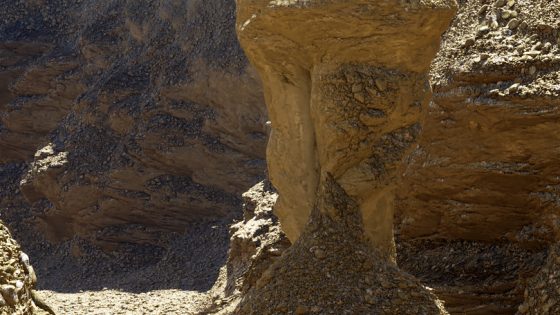

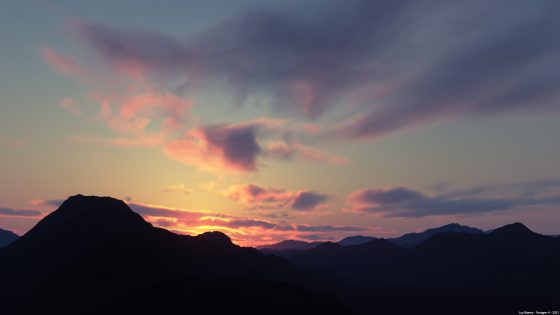
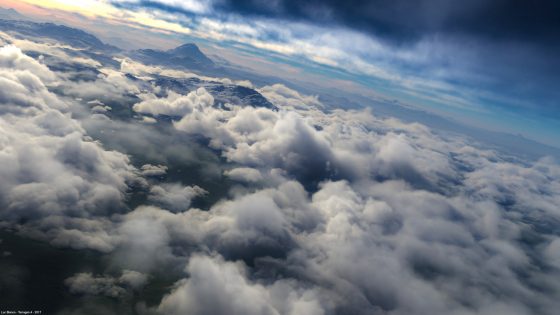



![]() |
Technology Preview 5, Free Non-Commercial Edition (Build 1.9.99.1)This is a recommended update for users of the Free Non-Commercial Edition.
Downloads
Summary of changes from 1.9.04.1 (Tech Preview 2) to 1.9.99.1 (Tech Preview 5)The renderer is now parallelized to take advantage of multiple cores or processors. There are still some stability issues with multi-threaded rendering. You should not make any changes to a project while a render is in progress as this can have unpredictable results, some causing Terragen to crash. (In previous builds a change to the project might affect the rendered result but was a legitimate way to test changes to some parameters.) /LARGEADDRESSAWARE on Windows: Able to take advantage of the /3GB switch supported by some 32-bit versions of Windows and 4GB of address space on 64-bit Windows. This allows Terragen to use more virtual memory than the 2Gb which it was previously limited to. The ray-tracing engine has been renovated to improve accuracy and stability and to make it more efficient at high resolutions. The Water Shader can now render transparency with depth-based light absorption and volumetric lighting under the surface. Unified Atmosphere Integration. This fixes rendering problems at the horizon, intersections between multiple cloud layers and intersections between clouds and terrain. Cloud Layer V2 properly occludes bright background objects such as the sun Various improvements to Global Illumination. 3D Previews and shader/node previews can now be opened in separate windows. They can be opened in various ways from different parts of the interface; see the complete changes log below. New 3D Preview Navigation panel, either embedded in previews or opened in separate window from the View menu. You need to focus a preview to control it with the navigation panel in a separate window. Added ability to change cameras in previews, including using preset cameras and camera nodes not attached to render nodes. Many other user interface enhancements and bug fixes. See the complete changes log below.
Complete changes log and multi-threading guidelinesThe renderer is now parallelized to take advantage of multiple cores or processors. It determines the number of available logical processors on the host computer and renders that many buckets/tiles synchronously. You can prevent this from happening or limit the number of buckets to be rendered synchronously by changing the "maximum threads" setting in the Render node settings. The default maximum is 16, but the renderer should never try to render more buckets in synch than there are logical processors. If the maximum is set to 0, bucket rendering will take place in the application's main thread rather than a separate thread, which may be useful for debugging purposes, but should render in a similar time as with 1. If Terragen is failing to detect the correct number of cores on your computer (shown on the About box), you can override the number of cores in Preferences -> Startup. You can also control the number of threads used in a render using the "minimum threads" and "maximum threads" parameters in the Render node settings. The GUI also responds more quickly during multi-threaded rendering. There are still some stability issues with multi-threaded rendering. You should not make any changes to a project while a render is in progress as this can have unpredictable results, some causing Terragen to crash. (In previous builds a change to the project might affect the rendered result but was a legitimate way to test changes to some parameters.) /LARGEADDRESSAWARE on Windows: Able to take advantage of the /3GB switch supported by some 32-bit versions of Windows and 4GB of address space on 64-bit Windows. This allows Terragen to use more virtual memory than the 2Gb which it was previously limited to. The ray-tracing engine has been renovated to improve accuracy and stability and to make it more efficient at high resolutions. This potentially affects ray-traced shadows, reflections, transparency, GI pre-pass and GI surface details. There are some situations where the new renderer is slower, but it should show improved stability and speed at high resolutions/detail levels. Some unwanted rendering artefacts have been reduced or eliminated entirely. There may be room for future optimisations. Render nodes have two new options to control the "subdiv cache", which is used to render ray traced shadows, reflections and GI rays:
The Water Shader can now render transparency with depth-based light absorption and volumetric lighting under the surface, as long as the camera is above the water. The colour and density of the volumetric lighting can be modulated using shaders or functions. Ray tracing of non-subdivisible objects (imported objects and Grass Clump) and populations now uses a different hierarchy structure (BIH) which uses less memory and allows faster rendering. This change also eliminates a conflict between threads that could potentially cause problems. Improved memory handling for scenes with a very large number of instances. Other ray-tracing bugs have been fixed:
Fixed a major bug which was responsible for some crashes at the end of the pre pass and possibly elsewhere. If errors occur in a render thread, TG attempts to display an error and terminate the render safely rather than allow the thread to crash. This may not always work. Prevented a crash upon deleting a cloud layer or atmosphere (bug 59). Unified Atmosphere Integration. This fixes rendering problems at the horizon, intersections between multiple cloud layers and intersections between clouds and terrain. Note: In many scenes this change also has the side effect of reducing the number of atmosphere/cloud samples that are actually rendered, reducing quality but also reducing render times. Therefore you may need to increase settings when rendering old projects. Improvements to Global Illumination and render prepass:
Some other changes to GI light cache and cloud layer acceleration cache. Cloud Layer V2 properly occludes bright background objects such as the sun (cloud opacity threshold depends on background luminance). Fixed a bug with shadows cast by reflective objects. This improves speed, fixes a bug that could hang a render, and fixes a visible artefact with soft shadows from such objects. Improved memory handling in atmospheres and clouds, which may improve stability and speed. Buckets/tiles are evenly sized throughout a render or cropped render. Disabled unique variations in populator because it has not been properly implemented yet. Populator v3 no longer automatically repopulates when a parameter change occurs in clouds or other shaders which are connected to the planet, unless they also influence the population through other connections. This does not eliminate all situations where repopulation occurs unnecessarily, however. Fixed a crash in Image Map Shader with Through Camera projection and no camera attached. Some changes which may improve GI consistency in 3D Previews on the lowest detail levels, although these levels may be noticeably slower in some cases. Visible to Camera, Visible to Other Rays and Cast Shadows are options on most objects (not including Planet). Some changes to Fresnel and transparency calculations in Water Shader and Reflective Shader. Object readers and Grass Clump do not need to reload/regenerate when Cast Shadows is toggled. CloudLayerV2 and PlanetAtmosphere use non-infinite lightsources more correctly. Possibly fixes some rendering errors with light sources in atmospheres. "Planet surface shader" is no longer available from the menus. This shader is not recommended and will not be developed further. Surface Layer:
Distribution Shader V4:
Removed a potential delay of up to one second after the completion of each bucket (tile) in a render. Fixed a bug which would cause invisible (transparent) parts of surfaces to become visible in dense atmosphere. The Shader Preview for atmospheres now only shows the individual atmosphere shader without showing all other input atmospheres. Made some corrections to win_command_line.txt and mac_command_line.txt. Added new 3D Preview Navigation panel. Open from the the View menu. You need to focus a preview to control it with the navigation panel. You can set the movement step sizes used for the slowest navigation speed in the Navigation Panel preferences. The Navigation Panel is also available "embedded" in previews that support navigation. You can toggle it on or off. You can choose whether it is shown or not in the Navigation Panel preferences. Library and Content preferences panel now responds to the Reset Panel button. New custom list implementation on Windows. It shouldn't suffer from the previous drawing problems, such as flicker or disappearing items. Drag and drop is not yet supported. As this is the first release with the new lists, please report any problems you come across. Reduced the frequency of crashes when opening projects. It may still happen, but it should happen much less often. Objects in the 3D Preview now show their name and node type in tooltips when you mouse over them. Added ability to change cameras in previews, including using preset cameras and camera nodes not attached to render nodes. Windows only: Improved drawing of text only lists. 3D Preview Location window now also displays camera position. Fixed a problem where the 3D Preview would appear stretched or be shown too large and have the top and bottom clipped by the edges of the view. This was particularly apparent on the Mac when using 3D Previews in separate windows, but was also occasionally a problem on Windows. You can now group nodes by selecting them and using Group from the Edit menu (see menu for key shortcut). 3D Previews and shader/node previews can now be opened in separate windows. To open the shader/node preview, right click on the small shader/node preview on the left side of the main window. There is also a button on the parameter views for shaders and heightfields which opens a new shader preview window. Shader/node previews in separate windows now have much the same controls as 3D Previews. Added a Focus Point button to the preview controls. Changed Set Camera button to have an icon rather than text. Added Reset Camera button to the preview controls. Previews in separate windows display which camera they're using on their tab. Render window now shows finished renders at full size on completion. Added a context menu to the Render window which has zoom related items on it. Tooltips in network view display name and type on nodes under the mouse on all Windows versions except Vista (still bugs to be fixed there). Many menus, for example the node selection menus, are now sorted in alphabetical order, to make it easier to find what you're looking for. Mouse wheel zooming now works in 3D Preview and heightfield/shader previews. Parameters with "color" in their names are renamed to use "colour" in most, if not all, non-deprecated nodes. Old projects and clip files will load without problems. Improved navigation speed when camera is less than 500 metres above the terrain: when very close to the terrain the speed is no longer reduced as much as in previous versions. Drag-and-drop rearrangement of items in the node lists for terrain and shaders. Currently there is the risk of making circular links and causing a crash (as with the Move Up/Down buttons). It may also be slow when you have a lot of nodes. The crop region is now drag resizable in the 3D Preview. Various new items added to various old and new context menus. You can use drag/marquee selection to select nodes in the network view. View windows have new tabstrip controls. You can tab between panels in View windows, much as you would in a browser. See the Mouse and Key Settings dialog for the keys. The content path preferences are now hooked into the back end in some cases. Addition of Window menu, which allows you select any currently open non-floating window and bring it forward. Added new Rendering preferences panel. This allows you to choose a notification method on rendering completion, as well as to suppress the screen saver or system sleep during rendering. Mac only: When you open a TGD file from the Finder you are now prompted to save changes to the currently opened project if need be. In reality, you will probably get prompted to do this every time you open a file, until TG2's change tracking gets a bit better. Mac only: Fixed a problem where clicking on the minimise/restore button of the network view when it was maximised would show the 3D preview again, but the 3D preview would then be maximised and hide the network view. This should now work as expected. The 3D Preview and the Network View have close, maximize and minimize buttons. Fixed a problem where grouped nodes were no longer part of their groups when a new network window was opened (bug 58). Fixed a problem with menus being leaked. This very probably has been causing the problems on Windows with the UI locking up, and odd flashing etc. The same leak was occurring on OS X, but it does not cause the same sorts of problems. Fixed a bug that was causing problems with the "check for updates" dialog, which could potentially effect both Windows and Mac versions (bug 55). Mac only: Change the way text renders on the Mac in the OpenGL previews to use the lower quality but quicker method, which should improve interaction speeds particularly with complex networks. New functions: Bias Scalar, Gain Scalar, Smooth Step Scalar, Hard Step Scalar (replaces Step Scalar). Degrees to Radians and Radians to Degrees Step Scalar is removed from the functions menu because its parameterisation and behaviour are inconsistent with other functions. Hard Step Scalar should be used instead. Existing projects that use Step Scalar will continue to work. Errors and Warnings notification area at bottom right of main window now dynamically resizes. Windows only: Improved Errors & Warnings window layout. Windows only: Fixed a problem with text measurement in message boxes which caused them to sometimes be too wide with a lot of extra space between the right extreme of the text and the right window border. Added windowed/marquee zooming to the network view, see Mouse and Key Settings for the bindings. Pressing the return/enter key when an object/shader is selected in the 3D Preview will open its param view. Added new object selection/centreing functionality. The 3D Preview reset camera position button now has a submenu for the "Centre on object or shader" item which lets you centre on the currently selected object as well as all other objects/shaders in the scene. The 3D Preview context menu has two new items, one of which does the same as just described and another which lets you select any object/shader in the scene. The "More Settings" tab in the render node param view has been renamed "Extra". Mac only: Fixed a problem with undo in edit text fields. Mac only: Fixed a problem with the render node param view tabs, where the tab buttons had become wider than the control and param view. The Errors and Warnings dialog now displays its list items much more quickly. Set Look At Point and Pick Focus Point are working again in the 3D Preview. Errors and Warnings now only displays a maximum of 250 errors and 250 warnings. It also only updates a few times a second instead of constantly. New Notifier function node ( Functions/Debug/Notifier ), intended to help debug node networks. Navigation panel in 3D Preview is now opaque to clicks and mouse movement, aside from dragging. Fixed a bug where using the context menu in the 3D Preview could lead to it not having full interactivity subsequently. Improved drawing of node connections across multiple views when connecting and disconnecting. Fixed some interaction problems between dragging the crop region and objects in the 3D preview. Two new command line options:
Windows only: The program folder contains a batch file called tgdNo3DPreviewNoNetworkView.bat which launches Terragen with the -no3dpreview and -nonetworkview command line options. LWOMicroExporter now supports %04d to insert frame number. Changes to Update Checker:
A "Check for Updates" item has been added to the Help menu. Some aesthetic changes to node network rendering which may make it look a little cleaner, especially when zoomed out. Some changes to parameter GUI updates, so that parameter text boxes update to the correct colours in all situations (add key, timeline scroll, etc.). Animation keys can be removed (via the parameter animation/import menu). Changed name of Mouse Settings preferences panel to Input Settings. Added support for customising input bindings, see the Input Settings preferences panel. If application is quit or the main window is closed quit during rendering, Terragen asks before stopping the render. Command line -ox flag now works The notification that a license key file has been copied for safekeeping is not displayed if the -hide or -exit flags are used on the command line. Windows only: Made some improvements to the command line parsing in tgd.exe (tgdcli.exe was OK). Corrected problems relating to objects' heading/elevation/distance parameters when loading from projects or clips. They no longer introduce unwanted non-integer position values (eg. very small non-zero values were seen on the planet position). Default project:
|
|
terragen start page
-
planetside front page
-
privacy policy
-
email terragen@planetside.co.uk
Terragen is a trademark of Planetside Software. All other trademarks are the property of their respective owners Planetside Software is based in the United Kingdom |