









Purpose
File Structure
"SRFL" Chunk
SubChunks of a SRFL Chunk
SubChunks of a TERM Chunk
SubChunks of a DENS Chunk
This document has been written to demystify the Terragen surface map file (.srf) and the information it contains.
It does not describe the process of transforming that information into a complex procedural texture,
as that is an entirely different hot-tub of monkeys.
If you are interested in reading or manipulating Terragen surface map files directly,
you should be aware of what is and is not possible.
Rendering a surface map
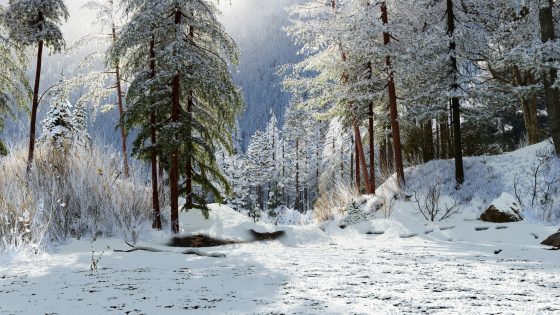
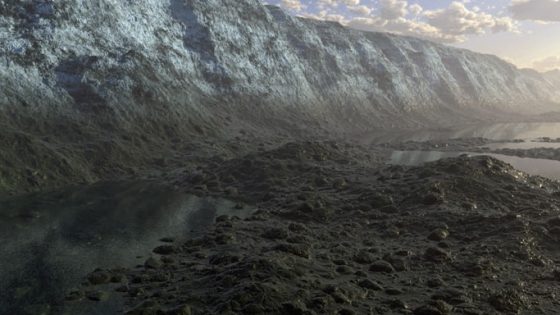
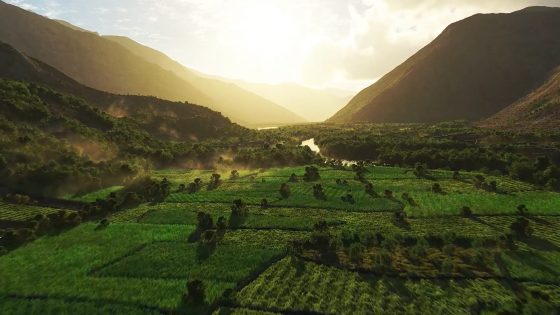
When Terragen renders a terrain from a particular viewpoint, it applies colour and texture
to its surface using a procedural surface engine that has been designed to do the following:
What's in a .srf file?
Every value that has a slider or a control in the Terragen Surface Editor is stored in the surface map file.
The file also stores the hierarchical arrangement of the surface layers.
This is all the information Terragen needs to plug into its procedural surface engine to render the surface from any viewpoint.
Some of this information may be useful to those who wish to use Terragen to create a terrain surface
that can later be approximated in other renderers or real-time applications.
In that case, Terragen might be used as a way of developing the "look" of the landscape
before transferring the parameters to the other renderer. The surface layer hierarchy, surface colours,
and altitude- and slope-based constraints are particularly good candidates for importing into other applications.
In addition, there are a couple of texture parameters that are not directly editable
in the Terragen Surface Editor, but are tweakable through the file.
What's not in a .srf file?
The surface map file does not store any texture maps or images that could be imported by other programs.
It does not encode any algorithms that can be read and executed by a program.
It only stores the parameters for a particular set of algorithms that have been developed for Terragen.
For another renderer to effectively use a Terragen surface map, a specific shader,
plugin or rendering subsystem needs to be written for that renderer to approximate
the algorithms Terragen uses when it renders a surface.
Some effects, such as the altitude constraints,
should not be difficult to approximate in other renderers,
but duplicating the exact noise functions would be difficult.
This is not because Terragen's noise functions are unusual or advanced,
but because noise textures are typically very difficult to match between one renderer and the next.
A surface map file contains a 16-byte identifier followed by a number of chunks.
The positions of the various chunks are not rigidly defined, so if you are writing a surface map file reader it
should allow for the flexibility of chunk positioning.
If you want your file reader to be compatible with newer files or files created by other third-party applications,
you must be able to handle the chunks in any order.
A surface map file must contain the following:
The first "SRFL" chunk defines the root surface layer. The surface layer might sometimes contain additional child layers.
If a layer contains child layers, the children are defined as SRFL chunks within the data portion of their parent SRFL chunk (not afterwards).
Child layers may themselves contain child layers, and so on.
Chunk structure
All values are store in Intel byte order.
Each chunk contains a 4-byte marker (eg. "SRFL"), then a 4-byte unsigned integer datalen,
representing the length of data in bytes, then the data itself.
The length of the data only includes the actual data itself, not the chunk marker or the datalen value.
If a chunk is a container for other subchunks, then the subchunks are considered to be part of the data.
All chunks are aligned to 4-bytes intervals, so there may be some padding after the actual data according to datalen.
If datalen is a multiple of 4, then there is no padding.
Note: A chunk's structure is different from that of the chunks found in Terragen terrain files.
Terrain file chunks do not include a datalen value.
The first "SRFL" chunk defines the root surface layer, but there may be many SRFL chunks in the file.
The root surface layer might contain additional child layers. Those child layers may themselves contain child layers, and so on.
If any layer contains child layers, the child layers are stored as SRFL chunks within the data portion of their parent SRFL chunk.
In Terragen's surface map system, a child layer is a surface layer whose distribution is restricted by that of its parent
and whose colours are applied over those of the parent.
For a detailed guide to the hierarchical arrangement of surface layers in Terragen,
please consult the Surface Map Guide.
A SRFL chunk will contain other subchunks. Each subchunk defines a particular setting for the surface layer,
or it may be a child SRFL chunk which will also contain its own subchunks.
The various subchunks are described below.
"SRFL" Child surface layer.
"DIFP" List of plugin effects for the diffuse colour.
"DNSP" List of plugin effects for the distribution.
angle = atan(gradient) * 180 / Pi
Last modified 2003.10.31 by Matt Fairclough
Purpose
It is difficult to achieve these criteria using standard image-based texture maps.
A texture map has a limit to its resolution,
therefore it either has to be applied over a very small area
or it will lose detail if you get too close to the surface.
Procedural textures allow us to solve these problems,
but to obtain a high level of detail they need to be generated for the particular view of the terrain we are interested in at that time.
That means we do not try to generate huge texture maps and store them in the surface map file.
File Structure
1) An 8-byte "TERRAGEN" string at the beginning of the file.
2) An 8-byte "SURFMAP2" string located 8 bytes from the beginning of the file.
3) A "SRFL" chunk.
"SRFL" Chunk
SubChunks of a SRFL Chunk
A "SRFL" chunk within another SRFL chunk describes a child surface layer.
There may be any number of child SRFL chunks, or none at all.
Any child SRFL chunks usually appear before any other other subchunks, but a file reader should not assume this.
In terms of its structure, a child SRFL chunk is no different from a root SRFL chunk,
and may itself contain child SRFL chunks and other subchunks.
"NAME" The name of the surface layer.
The "NAME" marker and the 4-byte datalen value are followed by a null-terminated string of 8-bit characters.
This is the name that the user gave the surface layer in the Surface Editor.
The value of datalen is the number of bytes in the string, including the trailing null terminator.
"TERM" A container chunk for other subchunks.
This chunk usually contains the "DIFP", "DIFC", "BMAM", "BMTX" and "MTER" subchunks.
They define colour texture plugin settings, surface colour, and bump map settings.
"DENS" A container chunk for other subchunks.
The subchunks of a TERM chunk are described later in this document.
This chunk usually contains the "DNSP", "VARI", "VART", "COVR", "ALTE", "ALTL", "ALTF", "SLPE", "SLPL", "SLPF" and "SMSZ" subchunks.
They define the distribution settings for the surface layer, including distribution texture plugin settings,
and altitude- and slope-based constraints.
The subchunks of a DENS chunk are described later in this document.
SubChunks of a TERM Chunk
A "DIFP" chunk lists any plugins effects that are assigned to the diffuse colour, and stores the settings for those effects.
This document does not go into detail about the storage of plugin settings.
"DIFC" The diffuse colour.
The "DIFC" marker and datalen value are followed by three signed 2-byte integers.
They are usually the R,G,B values entered in Terragen's colour picker, but the file allows values outside the colour picker's range.
"BMAM" The bump map amount, or magnitude of the bump mapping.
The "BMAM" marker and datalen value are followed by a 4-byte float.
Its value is associated with the "Bumpiness" slider in Terragen's Surface Editor,
and represents the magnitude or strength of the bump map applied to the surface.
"BMTX" The bump map texture settings.
The "BMTX" chunk contains a number of subchunks:
"MTER" The mimic terrain effect of the bump map.
"NAME": Contains a string indicating the type of texture (currently only "Fractal" is supported).
Many of these settings are deliberately absent from the Surface Editor because their results could change in future versions of Terragen.
"SETT": Contains subchunks for parameters associated with the type of texture. For "Fractal", these are:
"ORIG": Four 4-byte floats representing the 4-dimensional "origin" or "seed" of the fractal noise (although only the first 2 are used).
"NEGA": 4-byte unsigned integer. If non-zero, it indicate that the texture should be inverted. There is no way to edit this in Terragen's Surface Editor, except with "Reset Bumps"!
"ISOL": 4-byte float representing the "Isolation", or separation of texture features. There is no way to edit this in Terragen's Surface Editor, except with "Reset Bumps"!
"VARI": 4-byte float representing the magnitude of an additional "variation" texture. This is only computed if the value is greater than 0. It is -1 (disabled) by default. There is no way to edit this in Terragen's Surface Editor, except with "Reset Bumps"!
The "MTER" marker and datalen value are followed by a 4-byte float.
Its value is associated with the "Mimic terrain" slider in Terragen's Surface Editor,
and represents the extent to which the strength of the bump mapping is affected by the roughness of the portion of the terrain to which it is being applied.
Mimic terrain usually has a value between 0 and 1.
SubChunks of a DENS Chunk
A "DNSP" chunk lists any plugins effects that are assigned to the surface distribution, and stores the settings for those effects.
This document does not go into detail about the storage of plugin settings.
"VARI" The variation, or amount of texture (usually fractal noise) applied to the distribution.
The "VARI" marker and datalen value are followed by a 4-byte float.
Its value is associated with the "Fractal noise" slider in Terragen's Surface Editor,
and represents the magnitude or weighting applied to the variation texture.
"VART" The variation texture settings.
The "VART" chunk contains a number of subchunks:
"COVR" The coverage of the distribution.
"NAME": Contains a string indicating the type of texture (currently only "Fractal" is supported).
Many of these settings are deliberately absent from the Surface Editor because their results could change in future versions of Terragen.
"SETT": Contains subchunks for parameters associated with the type of texture. For "Fractal", these are:
"ORIG": Four 4-byte floats representing the 4-dimensional "origin" or "seed" of the fractal noise (although only the first 2 are used).
"NEGA": 4-byte unsigned integer. If non-zero, it indicate that the texture should be inverted. There is no way to edit this in Terragen's Surface Editor!
"ISOL": 4-byte float representing the "Isolation", or separation of texture features. There is no way to edit this in Terragen's Surface Editor!
"VARI": 4-byte float representing the magnitude of an additional "variation" texture. This is only computed if the value is greater than 0. It is -1 (disabled) by default. There is no way to edit this in Terragen's Surface Editor!
The "COVR" marker and datalen value are followed by a 4-byte float.
Its value is associated with the "Coverage" slider in Terragen's Surface Editor.
It is essentially a bias control for the variation texture, but behaves more like an opacity control when variation is low.
"ALTE" The altitude effects pair.
The "ALTE" marker and datalen value are followed by two 4-byte floats.
Their values are associated with the "Min altitude" and "Max altitude" check boxes in Terragen's Surface Editor.
Min first, then Max.
They can be any floating point value, but are usually 0 or 1.
Currently, when Terragen reads the value, it interprets values less than 0.5 as false, and anything else as true.
"ALTL" The altitude limits pair.
The "ALTL" marker and datalen value are followed by two 4-byte floats.
Their values are associated with the "Min altitude" and "Max altitude" heights in terrain units in Terragen's Surface Editor.
Min first, then Max.
The conversion between terrain units and metres depends on the scaling of the terrain to which the surface map will be applied.
"ALTF" The altitude fuzziness pair.
The "ALTF" marker and datalen value are followed by two 4-byte floats.
Their values are associated with the "Min altitude" and "Max altitude" sharp/fuzzy sliders in Terragen's Surface Editor.
Min first, then Max.
Each value represents an approximate range of altitudes, in terrain units, over which the constraint fades off.
The exact algorithm used to compute this "fuzzy zone" is not documented here.
"SLPE" The slope effects pair.
The "SLPE" marker and datalen value are followed by two 4-byte floats.
Their values are associated with the "Min slope" and "Max slope" check boxes in Terragen's Surface Editor.
Min first, then Max.
They can be any floating point value, but are usually 0 or 1.
Currently, when Terragen reads the value, it interprets values less than 0.5 as false, and anything else as true.
"SLPL" The slope limits pair.
The "SLPL" marker and datalen value are followed by two 4-byte floats.
Their values are associated with the "Min slope" and "Max slope" gradients in Terragen's Surface Editor.
Min first, then Max.
Each value is a gradient (or rate of change of height with respect to horizontal travel),
where 0 represents a horizontal surface, 1 represents a 45-degree slope,
and very large values represent a nearly vertical slope, etc.
You may find the following conversions useful (assuming the trig functions operate in radians):
"SLPF" The slope fuzziness pair.
gradient = tan(angle / 180 * Pi)
The "SLPF" marker and datalen value are followed by two 4-byte floats.
Their values are associated with the "Min slope" and "Max slope" sharp/fuzzy sliders in Terragen's Surface Editor.
Min first, then Max.
Each value is an approximate range of gradients (see above for conversions) over which the constraint fades off.
The exact algorithm used to compute this "fuzzy zone" is not documented here.
"SMSZ" The smoothing size used for computing distribution and bump mapping.
The "SMSZ" marker and datalen value are followed by a 4-byte float.
Its value is associated with "Scale + Depth (Nominal scale for bump mapping and distribution)" in Terragen's Surface Editor,
and is represented in terrain units. This value should usually be between 0 and 1 (this is all that is possible from within the Surface Editor),
although values larger than 1 might give interesting results.
The conversion between terrain units and metres depends on the scaling of the terrain to which the surface map will be applied.
Terragen is a trademark of Planetside Software
All other trademarks are the property of their respective owners